 publish
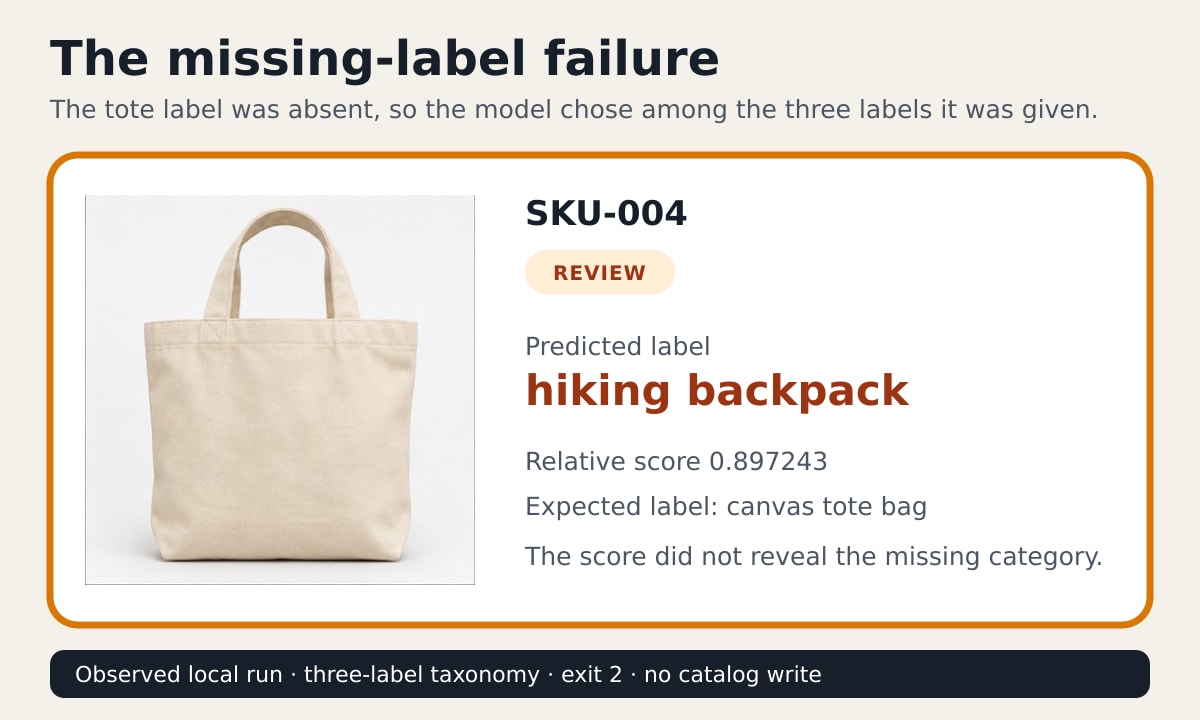
A product photo can look obvious to you and still expose a serious weakness in an image classifier. In this run, a cream canvas tote bag was assigned hiking backpack with a relative score of 0.897243. The model was not confused by a blurry photo. The correct label was missing from the list it was allowed to choose.
That is the useful lesson in this build. A founder or catalog operator can run image tagging locally, export a spreadsheet and review the suggestions without uploading product photos to a model API. But a high score cannot rescue a bad category list. The workflow needs a labelled evaluation set and a visible review boundary before any store update.
This edition uses Transformers.js 3.8.1 and the quantized Xenova/clip-vit-base-patch32 ONNX model. It produces a CSV plus a browser-readable review gallery. It does not connect to Shopify, modify a catalog or claim production accuracy.
The wrong result appears before the successful demo
The first run supplied three candidate labels: coffee mug, hiking backpack and running shoe. The fourth image was a tote bag. CLIP had to compare the image with the labels it received, so it chose backpack.
Adding canvas tote bag to the fixed taxonomy and running the same four images again produced four expected-label matches:
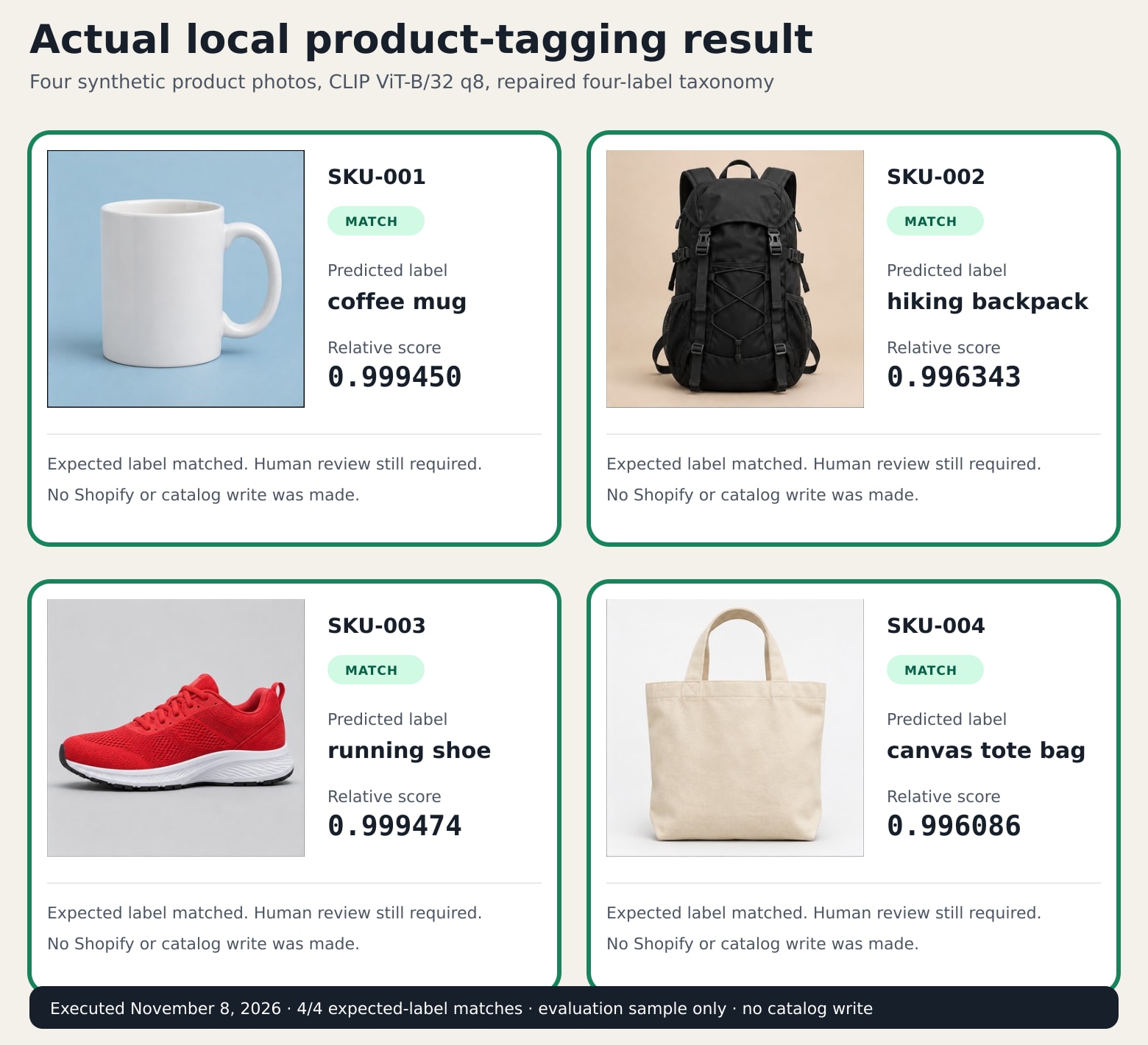
The complete CSV from the repaired run keeps the image hash, prediction, second choice, score, margin, expected label and evaluation status. Those fields make a later review inspectable. They do not prove that the model will classify a real catalog correctly.
Who should use this, and when the manual route is better
This is for a founder, ecommerce operator or small studio that receives batches of product photos and already has a controlled list of broad product categories. The finished artifact is a review queue, not an automatic catalog writer.
If you have 20 or 30 products and rarely add more, tag them manually in your store's bulk editor. That route has less setup and gives the operator direct context. Shopify documents manual and bulk tag editing, and tags can drive filtering, collections and search results.
The local classifier becomes worth evaluating when repeated batches make first-pass sorting tedious, when the images should stay on the operator's computer, or when you want a CSV handoff rather than another app with catalog permissions. It is not a good fit for fine-grained distinctions such as nearly identical shoe models, regulated claims, age or identity classification, or any decision about people.
What the model actually does
CLIP connects images and text descriptions in one representation. For each photo, this program asks which supplied label is the closest textual match. No model training is performed.
The returned scores are normalized across the candidate labels in that run. They are not verified probabilities that a product belongs to a category. Remove a plausible label and the remaining scores are recalculated. That is why the tote could receive a strong backpack score in the broken run.
The original CLIP model card says performance varies with class design and calls for thorough testing with a fixed taxonomy before a constrained use. It also records weaknesses in fine-grained classification and material fairness risks. This lesson stays within common object photos, uses synthetic inputs and requires human review. It does not weaken those documented limits.
Prerequisites, permissions and cost boundary
The recorded run used:
- Node.js 24.22.1
- npm 11.9.0
@huggingface/transformers3.8.1sharp0.34.5, used only to prepare the four sample cropsXenova/clip-vit-base-patch32at model revision6b7c523703ae26e39be4b03774966f8571c7f523- the quantized ONNX file with SHA-256
0898a3facfdb27f0a041e57649b4989cfd094e4a0040d6ae75ed69917dfc7328
You need permission to read the product images and write a local output folder. The program needs network access on its first run to download the model. The observed quantized model file was 153,695,702 bytes. After it is cached, the sample runs locally.
There was no model API charge in the authoring run. That does not make the workflow free. Download bandwidth, operator setup, image review, corrections and future taxonomy maintenance all consume resources. The four-image warm-cache run took 1.238 seconds in the authoring environment. That single measurement is a reproduction receipt, not a speed benchmark or a saving estimate.
1. Create a clean folder and install the pinned package
In an empty folder, run:
npm init -y
npm install @huggingface/transformers@3.8.1
Download the four synthetic sample files into that folder:
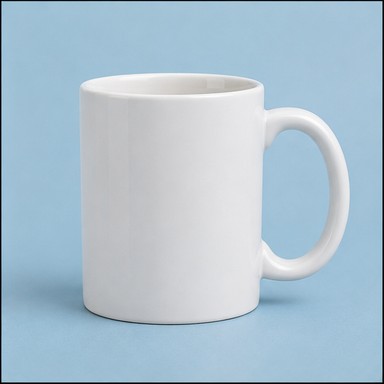
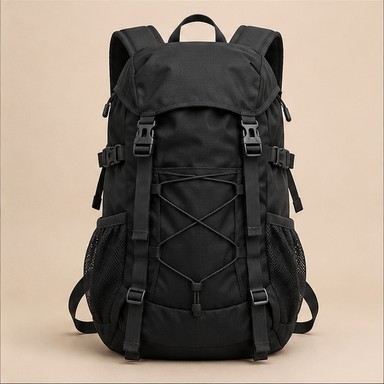
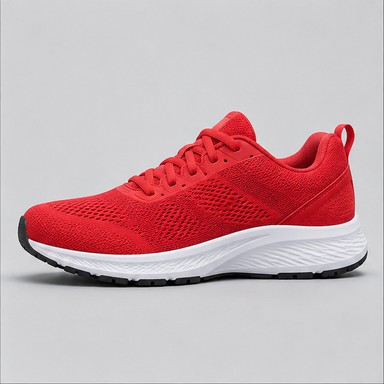
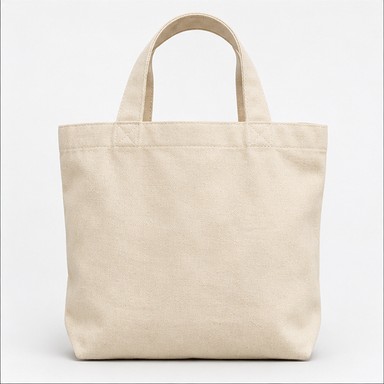
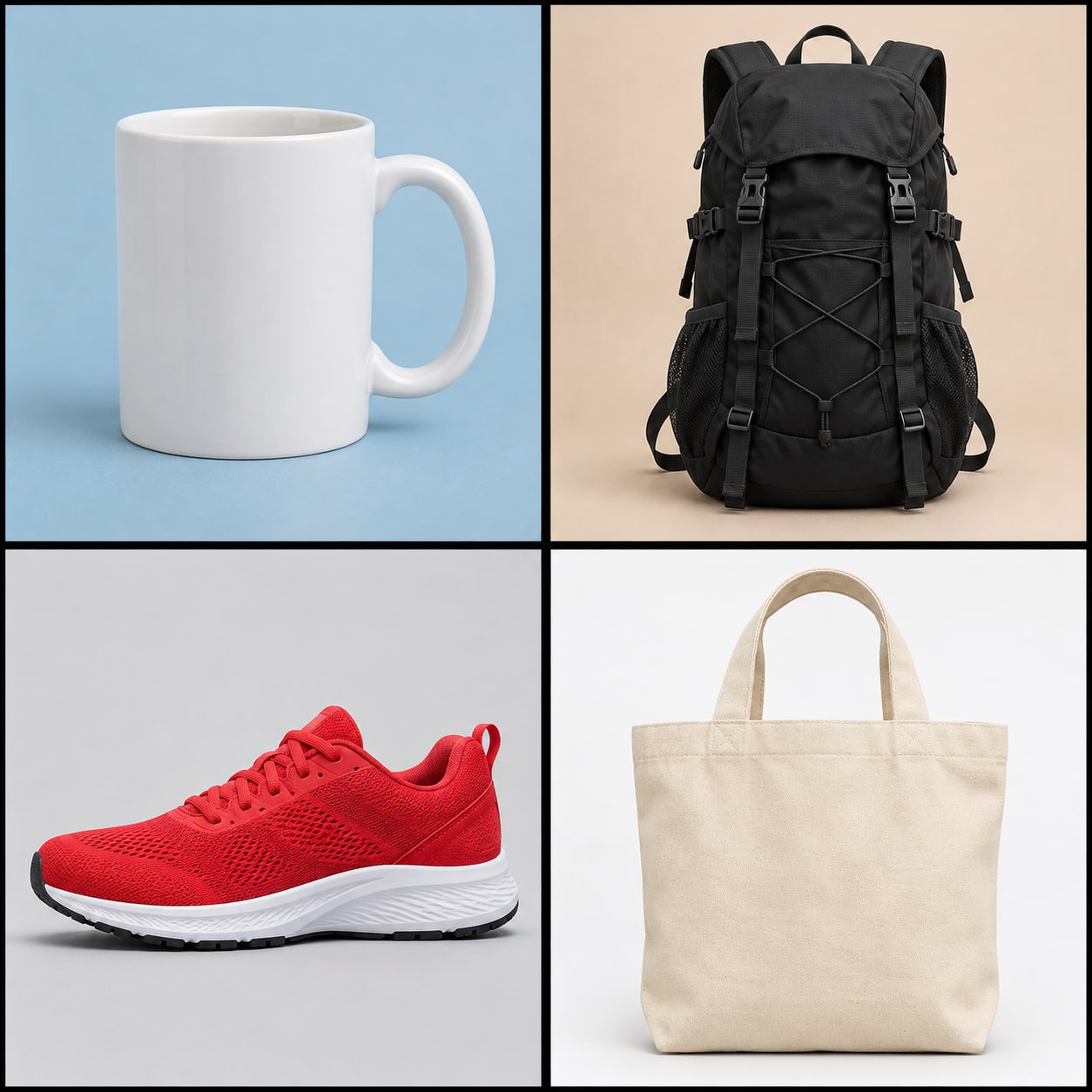
The source images were generated for this lesson, then cropped deterministically. They are test inputs, not customer photos or evidence of model quality. The uncropped synthetic input sheet is included so you can inspect that boundary.
2. Save the deliberately incomplete evaluation config
Create catalog-missing-label.json:
{
  "synthetic_images": true,
  "labels": ["coffee mug", "hiking backpack", "running shoe"],
  "items": [
    {"sku": "SKU-001", "file": "mug.jpg", "expected": "coffee mug"},
    {"sku": "SKU-002", "file": "backpack.jpg", "expected": "hiking backpack"},
    {"sku": "SKU-003", "file": "shoe.jpg", "expected": "running shoe"},
    {"sku": "SKU-004", "file": "tote.jpg", "expected": "canvas tote bag"}
  ]
}
The expected values make this a small evaluation set. For a new catalog, a person must assign those references before measuring the model. Do not use the model's own guesses as the expected answers.
3. Save the complete local tagger
Save this as tag-products.mjs:
import { createHash } from 'node:crypto';
import { existsSync } from 'node:fs';
import { mkdir, readFile, writeFile } from 'node:fs/promises';
import path from 'node:path';
import { pipeline } from '@huggingface/transformers';
const MODEL = 'Xenova/clip-vit-base-patch32';
const REVISION = '6b7c523703ae26e39be4b03774966f8571c7f523';
const configPath = process.argv[2];
const outputDir = process.argv[3];
if (!configPath || !outputDir) {
process.stdout.write('USAGE node tag-products.mjs CONFIG.json OUTPUT_DIR\n');
process.exit(64);
}
if (existsSync(outputDir)) {
process.stdout.write('STOP output directory already exists; choose a new directory\n');
process.exit(73);
}
const config = JSON.parse(await readFile(configPath, 'utf8'));
if (!Array.isArray(config.labels) || config.labels.length < 2 || !Array.isArray(config.items)) {
process.stdout.write('STOP config requires at least two labels and an items array\n');
process.exit(65);
}
if (new Set(config.labels).size !== config.labels.length) {
process.stdout.write('STOP labels must be unique\n');
process.exit(65);
}
await mkdir(outputDir);
const classifier = await pipeline('zero-shot-image-classification', MODEL, {
dtype: 'q8',
revision: REVISION,
});
const results = [];
for (const item of config.items) {
const bytes = await readFile(item.file);
const ranked = await classifier(item.file, config.labels);
const top = ranked[0];
const second = ranked[1];
const expectedInTaxonomy = config.labels.includes(item.expected);
const match = expectedInTaxonomy && top.label === item.expected;
results.push({
sku: item.sku,
file: item.file,
sha256: createHash('sha256').update(bytes).digest('hex'),
predicted: top.label,
score: top.score,
second: second.label,
margin: top.score - second.score,
expected: item.expected,
expectedInTaxonomy,
match,
image: `data:image/jpeg;base64,${bytes.toString('base64')}`,
});
}
const csv = [
['sku', 'file', 'sha256', 'predicted_label', 'score', 'second_label', 'margin', 'expected_label', 'evaluation_status'],
...results.map((row) => [
row.sku, row.file, row.sha256, row.predicted, row.score.toFixed(6), row.second,
row.margin.toFixed(6), row.expected, row.match ? 'MATCH' : 'REVIEW',
]),
].map((row) => row.map(csvCell).join(',')).join('\n') + '\n';
await writeFile(path.join(outputDir, 'tags.csv'), csv);
const cards = results.map((row) => `
<article class="${row.match ? 'match' : 'review'}">
<img src="${row.image}" alt="Synthetic sample ${escapeHtml(row.expected)} product image">
<div><b>${escapeHtml(row.sku)}</b><span>${row.match ? 'MATCH' : 'REVIEW'}</span></div>
<p>Predicted: <strong>${escapeHtml(row.predicted)}</strong></p>
<p>Expected: ${escapeHtml(row.expected)}</p>
<p>Top score ${row.score.toFixed(4)} · margin ${row.margin.toFixed(4)}</p>
</article>`).join('');
const html = `<!doctype html><meta charset="utf-8"><meta name="viewport" content="width=device-width">
<title>Local product tag review</title><style>
body{font:17px/1.45 system-ui;background:#f4f1ea;color:#17202a;max-width:1180px;margin:0 auto;padding:36px}
h1{font-size:40px;line-height:1.05;margin-bottom:8px}.lede{max-width:760px;color:#4b5563}.grid{display:grid;grid-template-columns:repeat(4,1fr);gap:18px;margin-top:28px}
article{background:#fff;border:3px solid #1f9d69;border-radius:16px;padding:14px;box-shadow:0 10px 24px #00000012}article.review{border-color:#d97706}
img{width:100%;aspect-ratio:1;object-fit:cover;border-radius:10px}article>div{display:flex;justify-content:space-between;align-items:center;margin-top:10px}span{font-size:12px;font-weight:800;letter-spacing:.08em;padding:5px 8px;border-radius:99px;background:#d1fae5}.review span{background:#ffedd5}p{margin:7px 0;font-size:15px}
footer{margin-top:26px;padding:18px;background:#17202a;color:#fff;border-radius:12px}@media(max-width:800px){.grid{grid-template-columns:repeat(2,1fr)}}
</style><h1>Local product tag review</h1><p class="lede">Four synthetic product photos classified on this computer. Scores only compare the labels supplied for this run. A person still decides what enters the catalog.</p>
<main class="grid">${cards}</main><footer>${config.labels.length} candidate labels · ${results.length} images · ${results.filter((row) => row.match).length} expected-label matches · no catalog write</footer>`;
await writeFile(path.join(outputDir, 'review.html'), html);
const mismatches = results.filter((row) => !row.match);
process.stdout.write(`MODEL ${MODEL} revision=${REVISION.slice(0, 12)} dtype=q8 local_after_download=true\n`);
process.stdout.write(`INPUT items=${results.length} labels=${config.labels.length} synthetic_images=${Boolean(config.synthetic_images)}\n`);
process.stdout.write(`EVALUATION matches=${results.length - mismatches.length} mismatches=${mismatches.length}\n`);
for (const row of mismatches) {
process.stdout.write(`MISMATCH ${row.sku} expected=${row.expected} predicted=${row.predicted} expected_in_taxonomy=${row.expectedInTaxonomy}\n`);
}
process.stdout.write(`EXPORT tags.csv rows=${results.length}; review.html cards=${results.length}\n`);
if (mismatches.length) {
process.stdout.write('CHECK FAIL: taxonomy or sample needs repair; no catalog write performed\n');
process.exit(2);
}
process.stdout.write('CHECK PASS: every sample item has an expected-label match; human review still required\n');
function csvCell(value) {
const text = String(value);
return /[",\n]/.test(text) ? `"${text.replaceAll('"', '""')}"` : text;
}
function escapeHtml(value) {
return String(value).replaceAll('&', '&').replaceAll('<', '<').replaceAll('>', '>').replaceAll('"', '"');
}
The program refuses to overwrite an output folder. It hashes each image, records the second-ranked label and exits with status 2 when the sample does not match its human-assigned reference. It never calls a catalog API.
4. Run the failure before repairing it
Run:
node tag-products.mjs catalog-missing-label.json output-missing-label
Complete observed stdout was:
MODEL Xenova/clip-vit-base-patch32 revision=6b7c523703ae dtype=q8 local_after_download=true
INPUT items=4 labels=3 synthetic_images=true
EVALUATION matches=3 mismatches=1
MISMATCH SKU-004 expected=canvas tote bag predicted=hiking backpack expected_in_taxonomy=false
EXPORT tags.csv rows=4; review.html cards=4
CHECK FAIL: taxonomy or sample needs repair; no catalog write performed
The process returned status 2 and wrote no stderr. Open output-missing-label/review.html. The orange tote card makes the mismatch visible. Notice that a simple confidence threshold would not have solved this example. The wrong top score was 0.897243 and the margin over the second label was 0.838563.
5. Repair the taxonomy and repeat cleanly
Copy the config to catalog-complete.json, then add "canvas tote bag" to the labels array. Keep the same four reference items. Run into a new folder:
node tag-products.mjs catalog-complete.json output-complete
Complete observed stdout was:
MODEL Xenova/clip-vit-base-patch32 revision=6b7c523703ae dtype=q8 local_after_download=true
INPUT items=4 labels=4 synthetic_images=true
EVALUATION matches=4 mismatches=0
EXPORT tags.csv rows=4; review.html cards=4
CHECK PASS: every sample item has an expected-label match; human review still required
The repaired process returned status 0 with empty stderr. Its four labels matched the four human references in this synthetic sample. That is only a completion check for these files and these labels.
Review the result before any catalog handoff
Open output-complete/review.html and compare each photo with the prediction. Then open tags.csv and verify:
- All expected SKUs are present once.
- Each SHA-256 value belongs to the image you reviewed.
- The predicted tag belongs to your approved vocabulary.
- Every
REVIEWrow is corrected or withheld. - A person records the final approved tag outside the model output.
The program's MATCH status means only that the prediction matched the reference in this evaluation file. It does not record a fresh human approval. In a real workflow, add columns such as approved_tag, reviewer and reviewed_at to a copy of the CSV. Keep the original output unchanged as the run record.
The integration boundary is a CSV, not a store write
The export is deliberately boring. Map sku to your catalog's stable product identifier and predicted_label to a proposed tag. Do not map predicted_label directly to a write operation.
For Shopify, the safe next step is to copy approved values into a separate import sheet or apply them with Shopify's documented bulk editor. Reconcile a small exported sample after the update. This article does not request Admin API access, install an app or test a production store.
Rollback is equally plain: retain the pre-change catalog export, the reviewed import sheet and the run's image hashes. If the updated tags are wrong, restore the prior values using the store's normal bulk-edit route. Never treat rerunning the model as a rollback.
Troubleshooting by symptom
| Symptom | Likely cause | Corrective action |
|---|---|---|
| First run pauses during setup | The model is downloading | Allow the documented Hugging Face download, then keep the cache for later local runs. |
STOP output directory already exists |
The program protects an earlier result | Choose a new output folder. Do not delete the previous evidence just to make the command pass. |
| A plausible image receives the wrong high score | A category is missing or labels are poorly phrased | Inspect the fixed vocabulary, add labelled examples and rerun the evaluation. Do not lower a threshold blindly. |
| Correct and incorrect labels are too similar | The task is too fine-grained for this model or prompt set | Use a simpler broader taxonomy, evaluate another model, or keep the task manual. |
| Results change after a model update | The model revision or package changed | Restore the pinned package and revision, then compare on the same labelled set before upgrading. |
| Real files contain people or sensitive settings | The evaluation scope drifted | Stop. Remove those files and review privacy, consent and model-scope requirements before any new test. |
Completion check and independent exercise
You are finished when the incomplete taxonomy exits 2, the repaired taxonomy exits 0, both stderr files are empty, the two stdout blocks match the blocks above and the repaired CSV has four data rows plus its header. Verify the CSV ends with a newline and that review.html opens without a network connection after the model run.
For an independent exercise, add a fifth synthetic or non-sensitive photo of a water bottle. First run it without a bottle label and record the forced choice. Then have a person add the reference label, update the fixed vocabulary and rerun into a new folder. Do not claim the repair generalizes until a broader, representative labelled set passes.
The next learning step is to design that set: include ordinary products, awkward angles, blank images, mixed-product scenes and categories that are easy to confuse. Measure incorrect suggestions, withheld items and human repair time. Provider cost is only one line in the operating cost.
Evidence, existing options and limits
A February 12, 2026 Shopify community question asked how to automate tags for more than 1,000 SKUs. It is one self-selected discussion, not a prevalence estimate. A May 20, 2026 Shopify Community product discussion requested a preview before bulk edits and later argued that image-based suggestions should inspect the image rather than rewrite the title. That thread includes developers and commenters, not a representative merchant survey.
Existing routes include Shopify bulk actions, a Shopify Flow template that generates tags from product descriptions, paid image-tagging apps, and Google's open-source Image Inventory architecture using Gemini, BigQuery and Cloud Tasks. The gap addressed here is narrower: a small local evaluation with a fixed vocabulary, a visible missing-label failure, image hashes, a review gallery and a CSV boundary. It is not evidence that this route is cheaper or better for your catalog.
Primary technical references are the Transformers.js pipeline documentation, the pinned ONNX model card, the original CLIP model card and Shopify's tag documentation. The demand discussions are the 1,000-SKU tagging question and the bulk tag and alt-text feedback thread.
AI assisted the article, code and synthetic image creation. The program was executed in an isolated clean folder on November 8, 2026. The negative and repaired stdout were compared completely, final newlines included, with empty program stderr. The same AI session performed the technical and learner editorial reviews. There was no independent human test, customer catalog, production deployment, Shopify write, traffic measurement or search-volume evidence.