 publish
Upgrade a writer workspace and understand its credits
Your paid workspace plan and credit allowance reflect verified billing.
Before you start
Your own confirmed writer account. Reader payments are separate.
Where to find it: Pricing → your writer plan / Manage billing
Open My newsletters →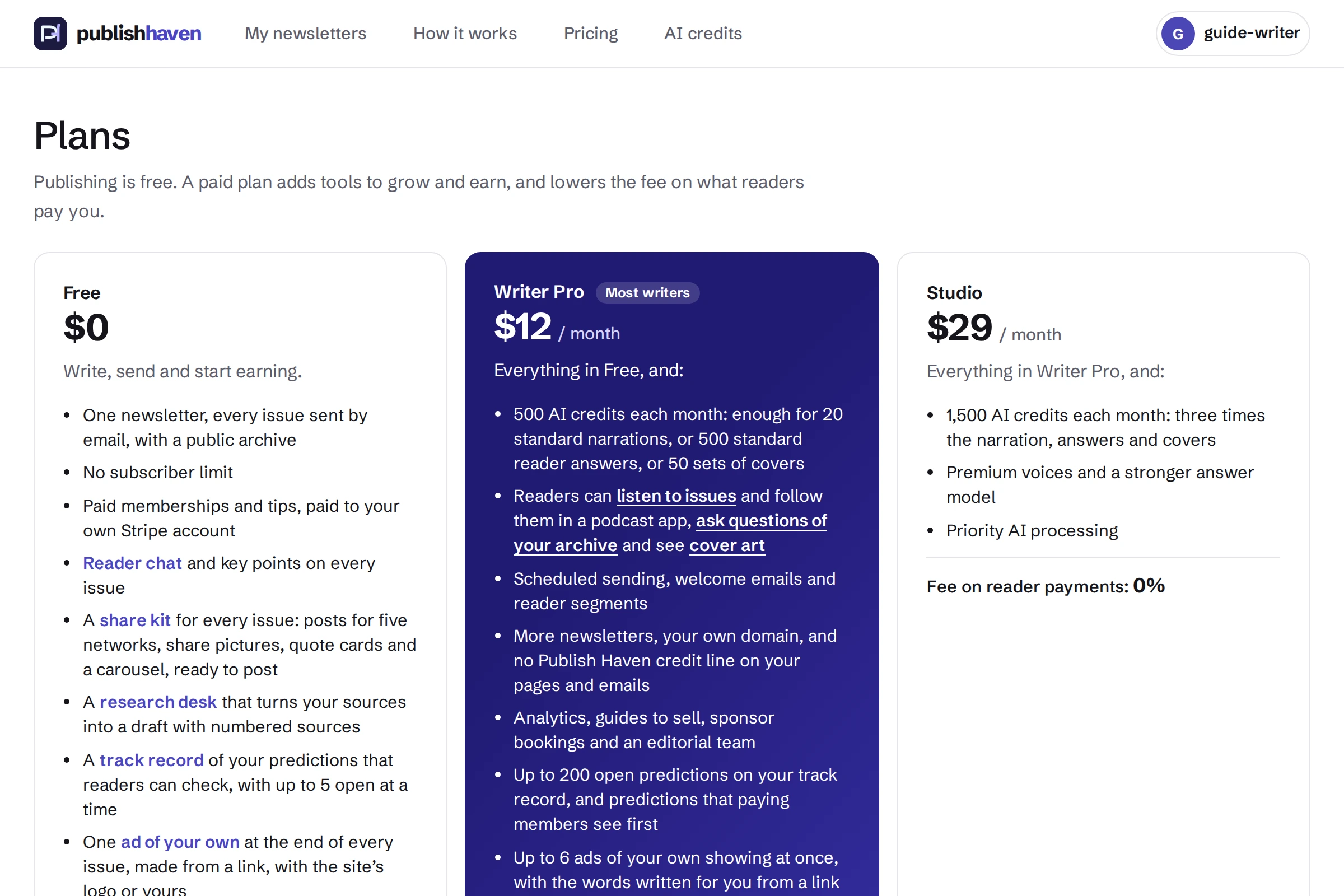
Compare the plans
Open Pricing and review Free, Writer Pro and Studio, including their fees and credit allowances.
Choose the upgrade
Use the plan checkout for the plan you intend to buy and review the Stripe-hosted amount before paying.
Check the returned status
Return to Publish Haven and confirm the paid plan is active. A checkout opened but not paid does not grant credits.
Manage renewal
Open Manage billing for invoices or cancellation. Credits already used stay spent; plan cancellation does not erase your newsletter.
What you should see
Your paid workspace plan and credit allowance reflect verified billing.
Check before you continue
An unpaid upgrade keeps the prior paid plan. Repeated upgrade requests do not create repeated allowance grants. A downgrade removes Studio access while preserving the current cycle’s unused credits; the next verified renewal uses the new plan allowance. Existing configured legacy subscriptions keep their original price.
If a step is unavailable
Check the plan and feature status shown in your workspace. “Not released yet” or “Setup on hold” needs platform work. “Connect” or “One step left” links to an action you can take. A pending scan, send or payment must finish before its result is available.
If the result still does not appear, contact support@publishhaven.com with the service name and the visible message. Keep private reading links, passwords and payment details out of the message.