 publish
Connect SparkLoop recommendations
An approved connection offers optional recommendations to consenting readers.
Before you start
Your own provider-issued custom setup and platform release.
Where to find it: Newsletter → Reader & revenue features → SparkLoop → Open SparkLoop setup
Open My newsletters →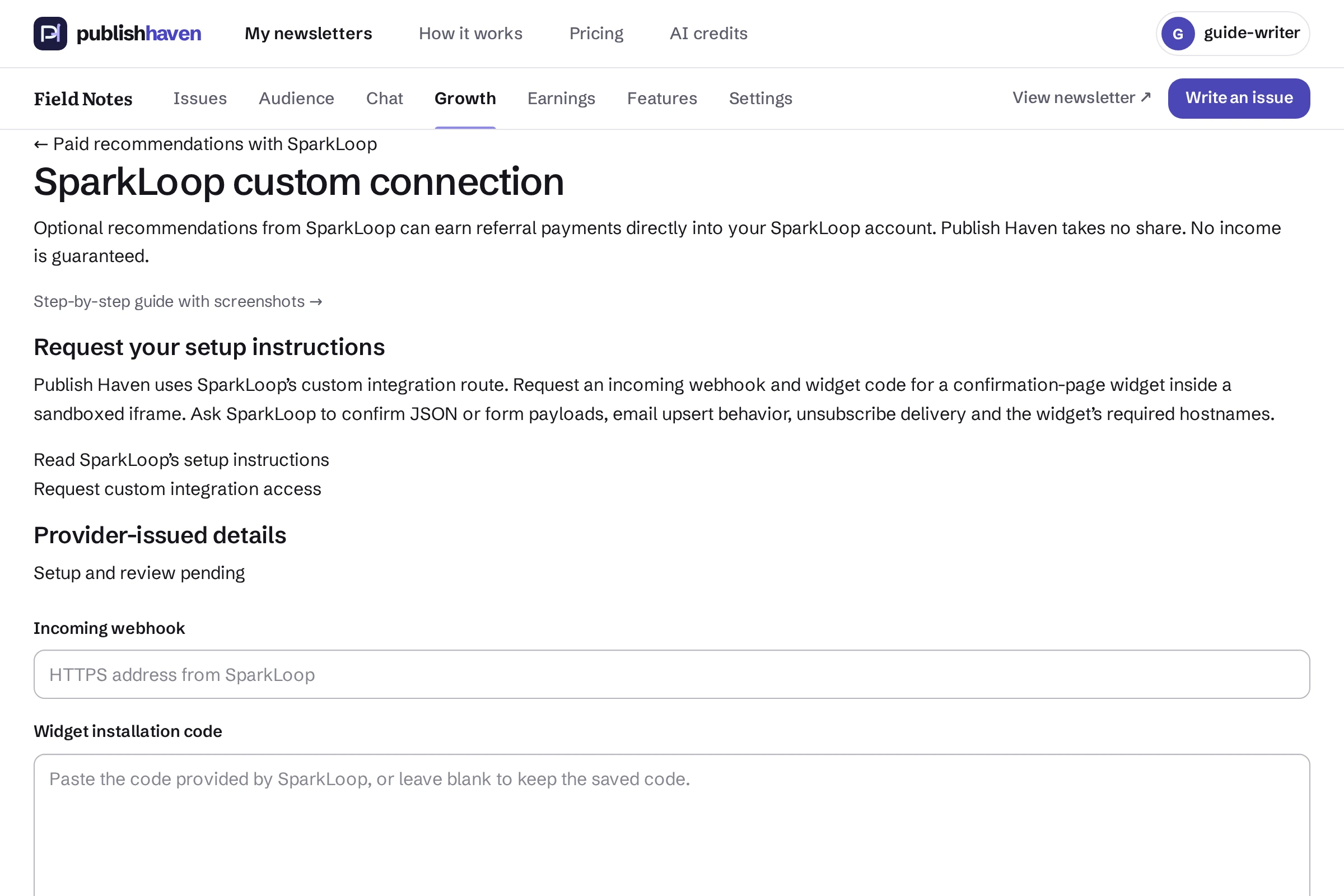
Request the custom setup
Follow the guide’s SparkLoop support instructions to obtain your own webhook and widget details.
Save the supplied details
Open SparkLoop setup and paste only the details issued for your newsletter. Keep credentials private.
Wait for connection review
Saved or changed integration code needs platform review before activation.
Check the reader choice
When approved and enabled, recommendations use the separate optional signup consent. Review connection state and pause it when needed.
What you should see
An approved connection offers optional recommendations to consenting readers.
Check before you continue
Only separately consenting confirmed readers are shared. Connection changes require another platform review.
If a step is unavailable
Check the plan and feature status shown in your workspace. “Not released yet” or “Setup on hold” needs platform work. “Connect” or “One step left” links to an action you can take. A pending scan, send or payment must finish before its result is available.
If the result still does not appear, contact support@publishhaven.com with the service name and the visible message. Keep private reading links, passwords and payment details out of the message.