 publish
Recommend another newsletter
New confirmed readers can explicitly choose the newsletters you recommend.
Before you start
Release for your newsletter. To be listed: 60-character description, three published issues and one within 45 days.
Where to find it: Newsletter → Reader & revenue features → Recommendations at sign-up
Open My newsletters →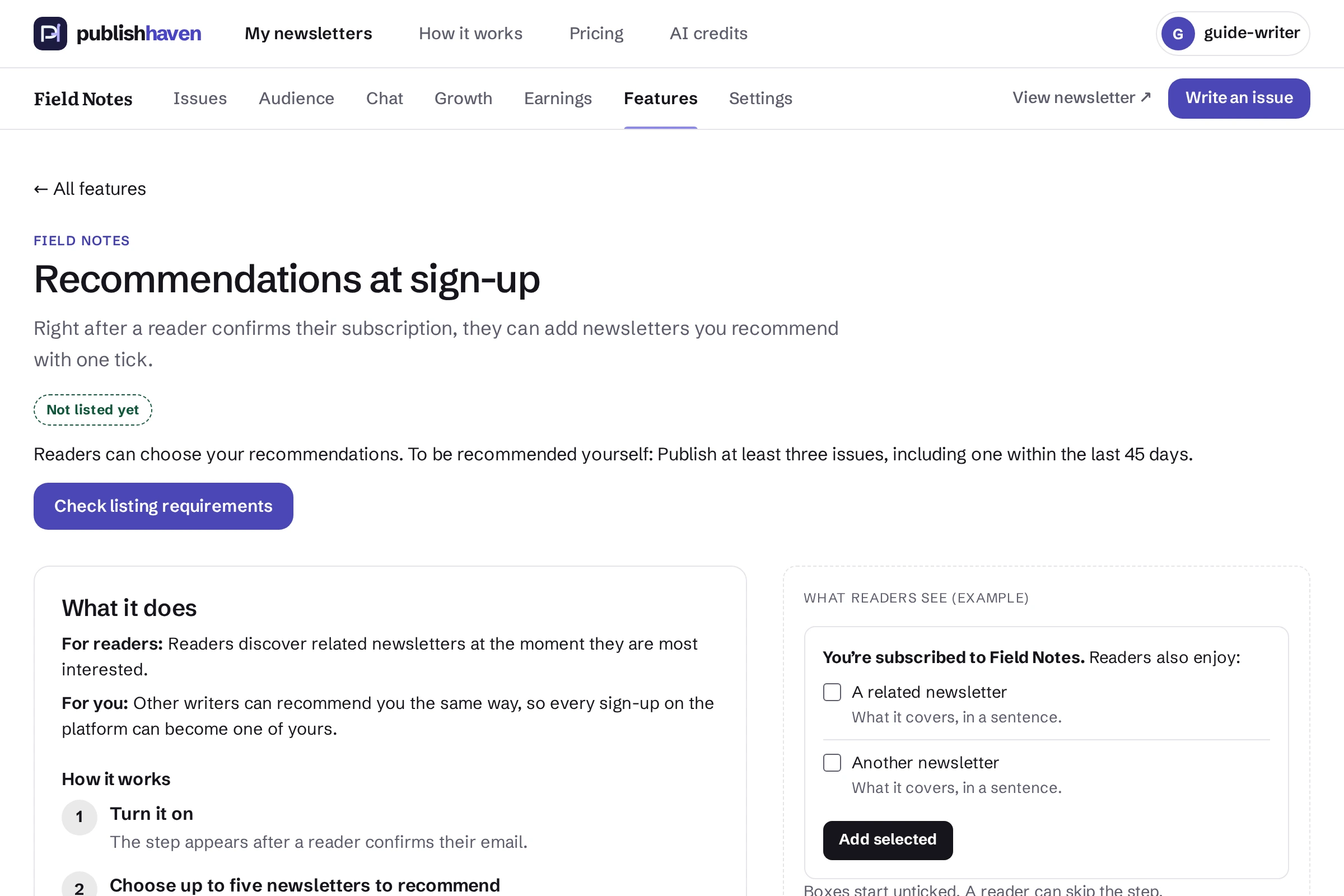
Check the status
Open Recommendations at sign-up. Not released yet means platform review is still pending; an Off status means you can set it up.
Turn recommendations on
When available, enable the feature. Select complementary newsletters you trust, or use similar suggestions.
Prepare your own listing
To be recommended yourself, add a description of at least 60 characters and publish at least three issues, including one within the last 45 days.
Understand the reader step
After confirming a subscription, readers see unchecked choices. They can skip all of them. Each selected newsletter has its own consent and unsubscribe choice.
What you should see
New confirmed readers can explicitly choose the newsletters you recommend.
Check before you continue
Readers choose their recommendations after confirming a subscription. Cards start unchecked. A reader can skip every card. Each selected newsletter records consent and provides its own unsubscribe option.
If a step is unavailable
Check the plan and feature status shown in your workspace. “Not released yet” or “Setup on hold” needs platform work. “Connect” or “One step left” links to an action you can take. A pending scan, send or payment must finish before its result is available.
If the result still does not appear, contact support@publishhaven.com with the service name and the visible message. Keep private reading links, passwords and payment details out of the message.