 publish
Use sponsored newsletter recommendations
When released, explicit sponsored choices can create verified referral earnings.
Before you start
Real marketplace audience eligibility and completed platform legal and accounting reviews.
Where to find it: Newsletter → Reader & revenue features → Paid referrals
Open My newsletters →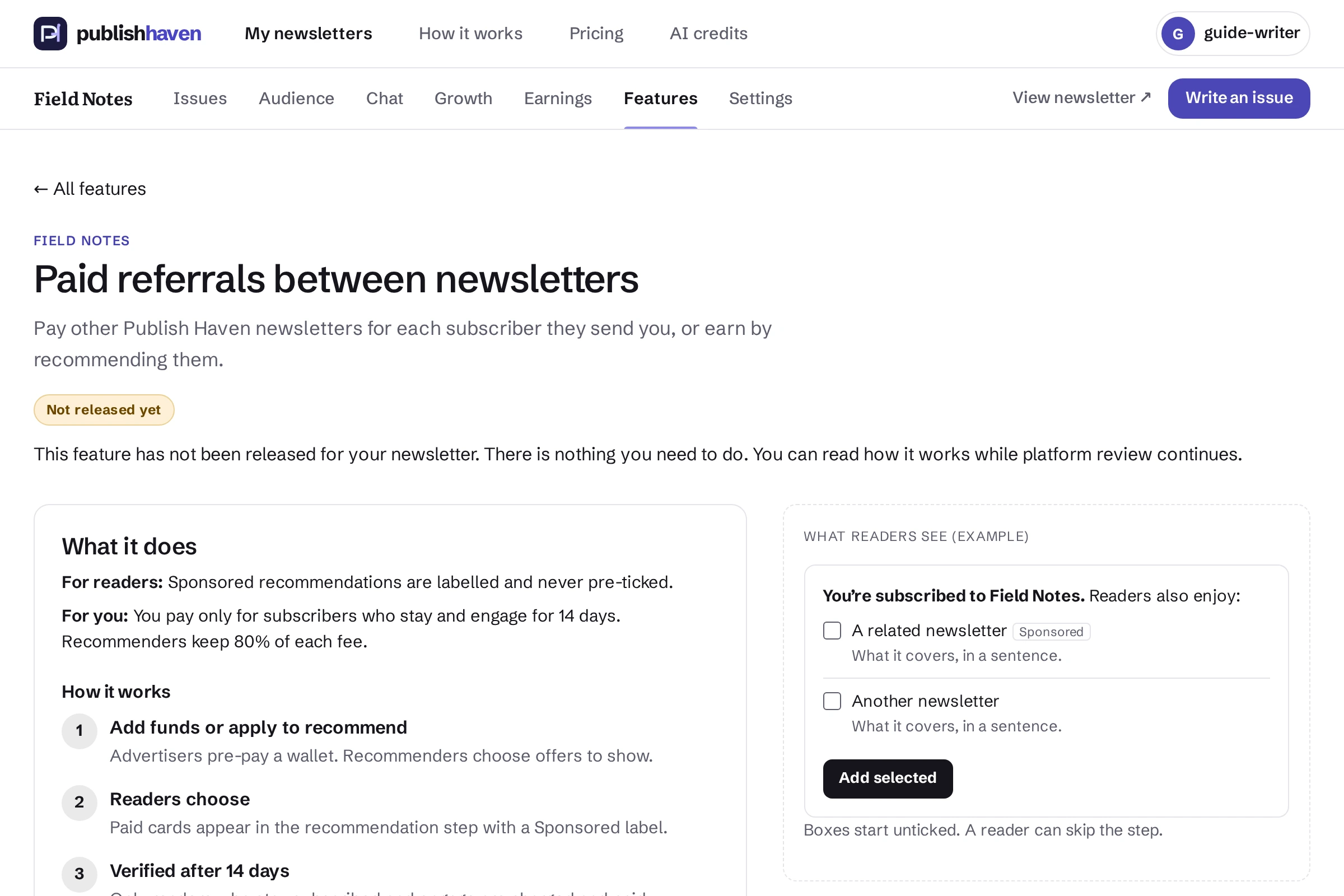
Read the availability status
Open Paid referrals. If the marketplace is on hold, read its requirements; do not fund or promise placements before it is released.
Review an offer when available
Advertisers describe the offer and approve recommenders. Recommenders choose eligible offers they want to show.
Understand reader consent
Sponsored cards are labeled and unchecked. A reader must choose them; a reserved referral is not an earned sale.
Review verified earnings
Verification waits at least 14 days and checks continuing subscription, activity and fraud limits. Review verified amounts and payout status on the paid-referrals page.
What you should see
When released, explicit sponsored choices can create verified referral earnings.
Check before you continue
Verification waits at least fourteen days and checks continued subscription, qualifying email activity and fraud limits. Verified referrals allocate 80 percent to the recommender. Monthly Stripe transfers start on the fifth for prior-month earnings of at least $25. Stripe controls the bank deposit. Unused unreserved funds can be refunded to their original payment; payment disputes can hold funds for review.
If a step is unavailable
Check the plan and feature status shown in your workspace. “Not released yet” or “Setup on hold” needs platform work. “Connect” or “One step left” links to an action you can take. A pending scan, send or payment must finish before its result is available.
If the result still does not appear, contact support@publishhaven.com with the service name and the visible message. Keep private reading links, passwords and payment details out of the message.