 publish
Invite a writer and earn AI credits
Verified eligible paid signups receive the stated referral credit reward.
Before you start
Your confirmed writer account and a person who wants their own newsletter.
Where to find it: Account menu → Invite a writer
Open My newsletters →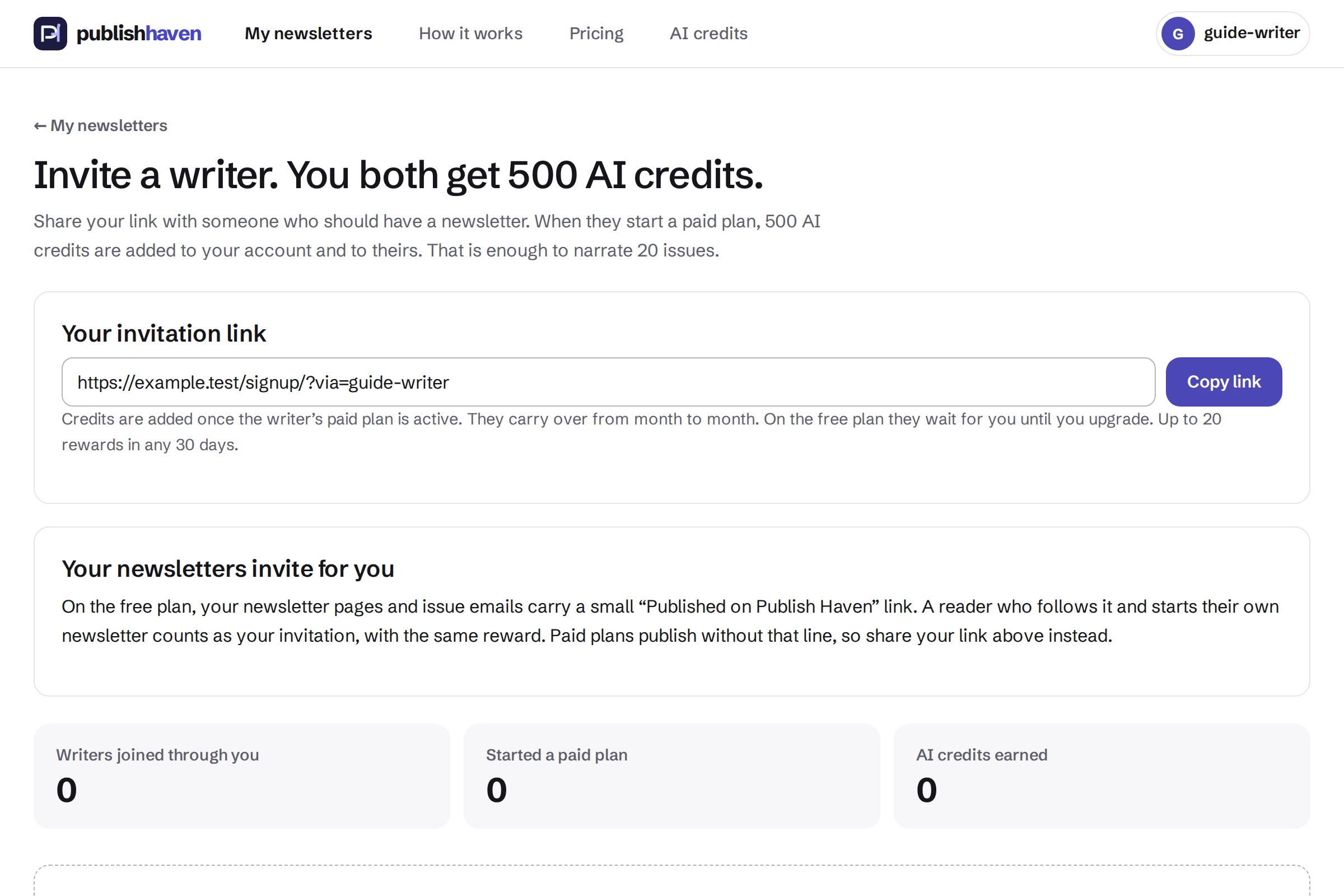
Open your invitation page
Choose Invite a writer in the account menu.
Copy your link
Copy the invitation link shown for your account.
Share it with a willing writer
Send it to someone who wants to create a newsletter. They create their own account and make their own plan choice.
Review reward status
Return to the invitation page to see who joined and which eligible rewards were paid. Self-invitations do not qualify; free-plan credits wait until upgrade.
What you should see
Verified eligible paid signups receive the stated referral credit reward.
Check before you continue
On the free plan your newsletter invites for you as well: its pages and emails carry a small “Published on Publish Haven” link, and a reader who follows it and starts a newsletter counts as your invitation. Paid plans publish without that line. Credits carry over from month to month. On the free plan they wait until you upgrade. A writer can earn up to 20 rewards in any 30 days, and inviting yourself does not count.
If a step is unavailable
Check the plan and feature status shown in your workspace. “Not released yet” or “Setup on hold” needs platform work. “Connect” or “One step left” links to an action you can take. A pending scan, send or payment must finish before its result is available.
If the result still does not appear, contact support@publishhaven.com with the service name and the visible message. Keep private reading links, passwords and payment details out of the message.