 publish
Check that predictions were not changed
You check record integrity on your device, then judge the outcome evidence separately.
Before you start
The public track record; an old newsletter email provides a separate comparison.
Where to find it: Newsletter website → Track record → Check for yourself
Open My newsletters →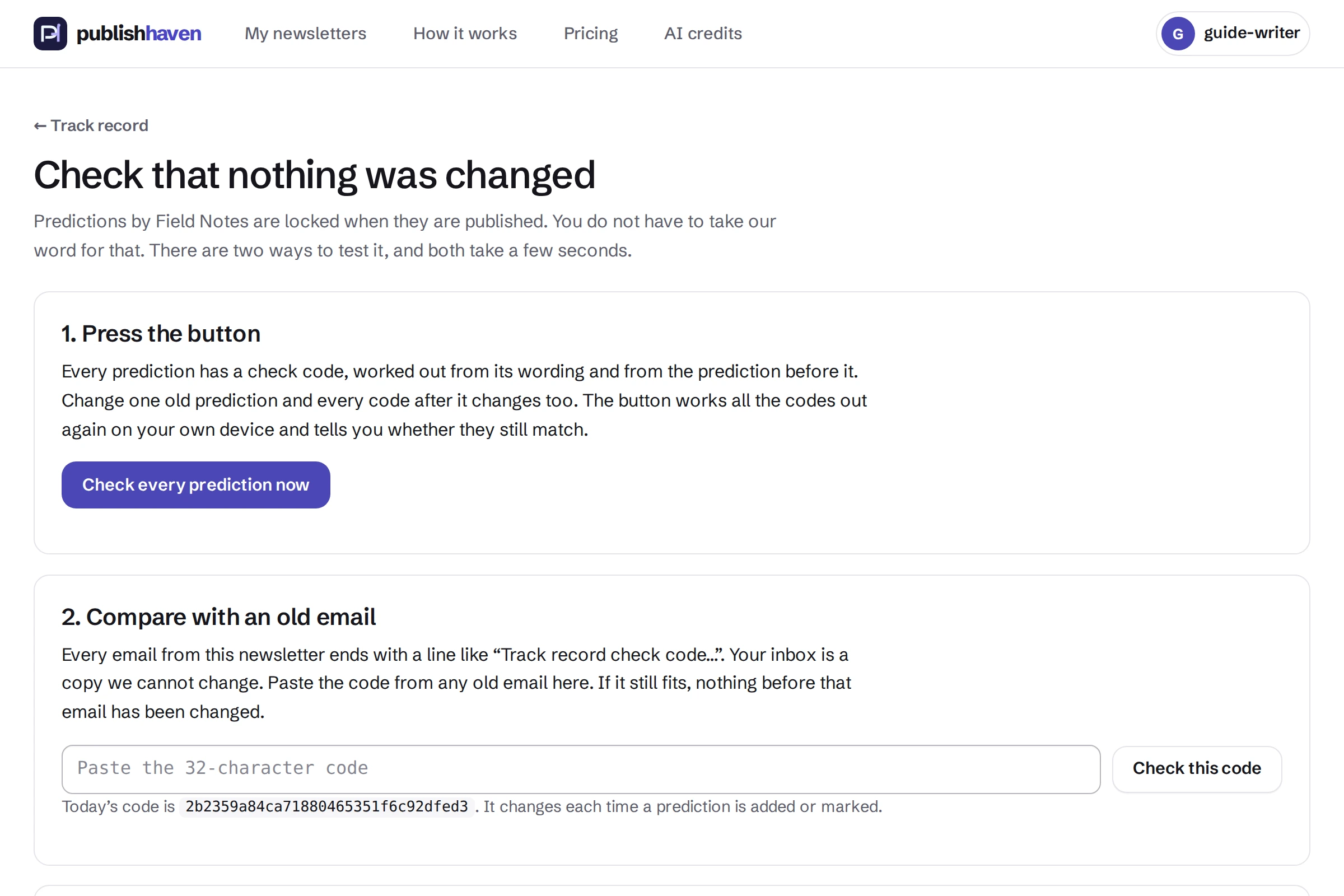
Open the checking page
Follow the newsletter’s Track record link and choose Check for yourself.
Recalculate the codes
Press Check every prediction now. Your device recalculates the linked check codes and reports whether they match the recorded history.
Compare an old email
Find Track record check code at the bottom of an old newsletter email. Paste it into Check code from an email and press Check this code. This compares the current history with the copy in your inbox.
Judge the evidence
Return to the predictions and compare each original claim, deadline and resolution source. Matching check codes establish integrity; they do not prove the writer judged an outcome fairly.
What you should see
You check record integrity on your device, then judge the outcome evidence separately.
Check before you continue
The check tells you that what the writer said, and when, has not been changed. It cannot tell you whether the writer judged a result fairly: the writer marks each result and links the proof, so you can judge that yourself.
If a step is unavailable
Check the plan and feature status shown in your workspace. “Not released yet” or “Setup on hold” needs platform work. “Connect” or “One step left” links to an action you can take. A pending scan, send or payment must finish before its result is available.
If the result still does not appear, contact support@publishhaven.com with the service name and the visible message. Keep private reading links, passwords and payment details out of the message.