 publish
Let readers listen and ask questions
Readers can listen to ready issues and ask questions of prepared archive text.
Before you start
A paid writer plan, released services, published issues and processing consent.
Where to find it: Newsletter → Reader & revenue features
Open My newsletters →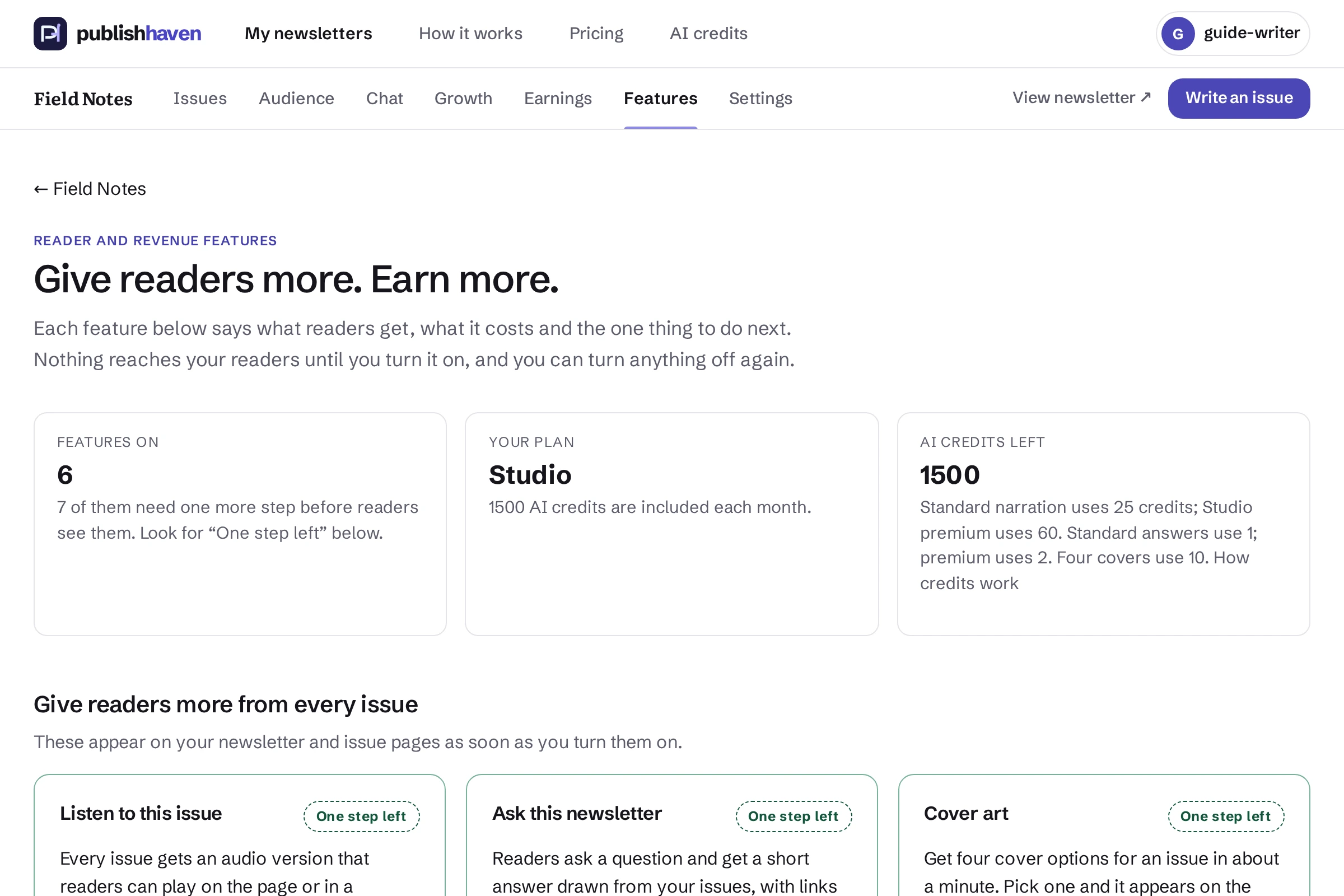
Open Features
Choose Reader & revenue features from your newsletter’s Issues page or choose Features in the section bar.
Set up the assistant
Open Ask this newsletter, review the processing notice, enable it and save starter questions.
Set up audio
Open Listen to this issue, choose a voice and rate, then narrate a published issue.
Check the reader result
Open the issue and newsletter website. The player appears after narration is ready; the assistant uses prepared published issues and respects member access.
What you should see
Readers can listen to ready issues and ask questions of prepared archive text.
Check before you continue
Narration uses a disclosed synthetic voice. Paid issues use private audio, with a preview for other readers. A membership podcast link is personal and revocable. Keep it private and regenerate it if you share it by mistake.
If a step is unavailable
Check the plan and feature status shown in your workspace. “Not released yet” or “Setup on hold” needs platform work. “Connect” or “One step left” links to an action you can take. A pending scan, send or payment must finish before its result is available.
If the result still does not appear, contact support@publishhaven.com with the service name and the visible message. Keep private reading links, passwords and payment details out of the message.