 publish
Understand AI credits and limits
You know the selected cost and can trace credit use in your history.
Before you start
Writer Pro includes 500 monthly credits; Studio includes 1,500.
Where to find it: Account menu → AI credits
Open My newsletters →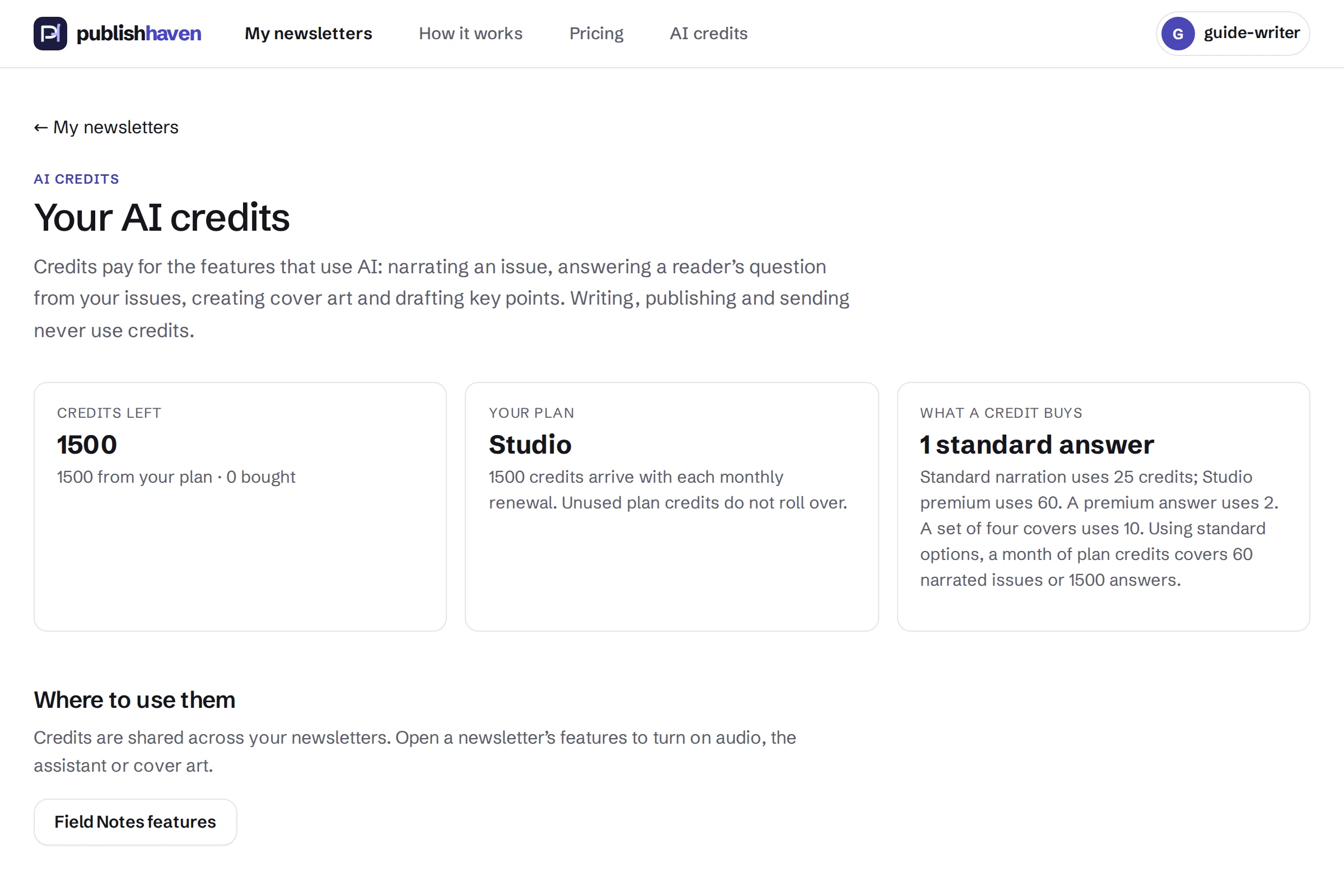
Check the balance
Open AI credits and review the included and purchased balances. Credits are shared across your newsletters.
Choose a service and rate
Standard narration is 25 credits; Studio premium is 60. Standard archive answers are 1; premium answers are 2. Four covers cost 10.
Start work from Features
Open your newsletter’s Features page. Enable a released tool, accept its processing notice and start work only after reviewing the selected cost.
Review history
Return to AI credits to inspect debits and refunds. Purchased credits carry forward while your paid plan is active; included credits reset at a verified monthly renewal.
What you should see
You know the selected cost and can trace credit use in your history.
Check before you continue
AI tools require both a platform release and your newsletter settings. They can pause when credits, provider availability or spending limits are reached. Writing, publishing and newsletter sending continue independently.
If a step is unavailable
Check the plan and feature status shown in your workspace. “Not released yet” or “Setup on hold” needs platform work. “Connect” or “One step left” links to an action you can take. A pending scan, send or payment must finish before its result is available.
If the result still does not appear, contact support@publishhaven.com with the service name and the visible message. Keep private reading links, passwords and payment details out of the message.